

3. Run your first style inspection
Install Avellio, run a first audit, review findings, fix safely, and verify the result.
INSPECT Typical time: 2–5 minutes. Document impact: Avellio can add temporary diagnostics but does not intentionally rewrite text or style definitions.
3.1 Select Inspect Styles
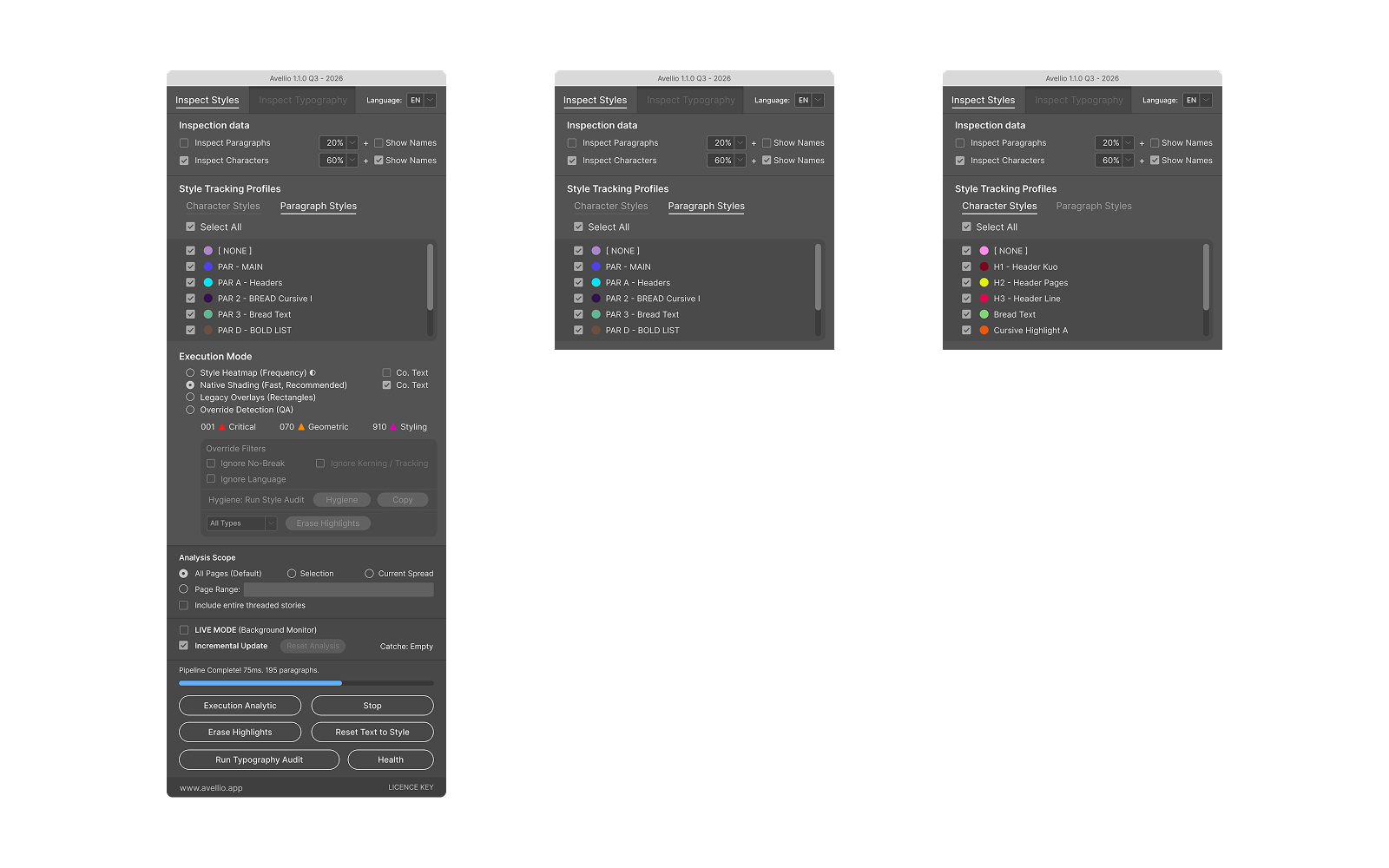
Open the Inspect Styles tab.
In Inspection Data:
- leave Inspect Paragraphs enabled;
- leave Inspect Characters enabled if character styles are important to the document;
- use a low or medium opacity so the copy remains readable;
- leave Show names off for the first pass.
3.2 Choose a visual mode
For a first inspection, choose one of these:
- Style Heatmap (Frequency) shows how styles are distributed and makes rare or unexpected style usage visible.
- Native Shading (Fast, Recommended) provides a fast diagnostic view using native InDesign rendering.
When available, keep Co.Text enabled. It uses Conditional Text indicators and helps avoid local underline-style diagnostic overrides.
Use Legacy Overlays (Rectangles) only when you need object-based compatibility rendering. It is normally slower.
3.3 Execute the visual analysis
- Confirm the Analysis Scope.
- Click Execute Analytics.
- Wait for the status to finish.
- Inspect pages for unexpected colors, isolated style usage, or gaps in the intended style system.
The colors are diagnostics. They do not mean that every highlighted passage is wrong.
3.4 Check local overrides when needed
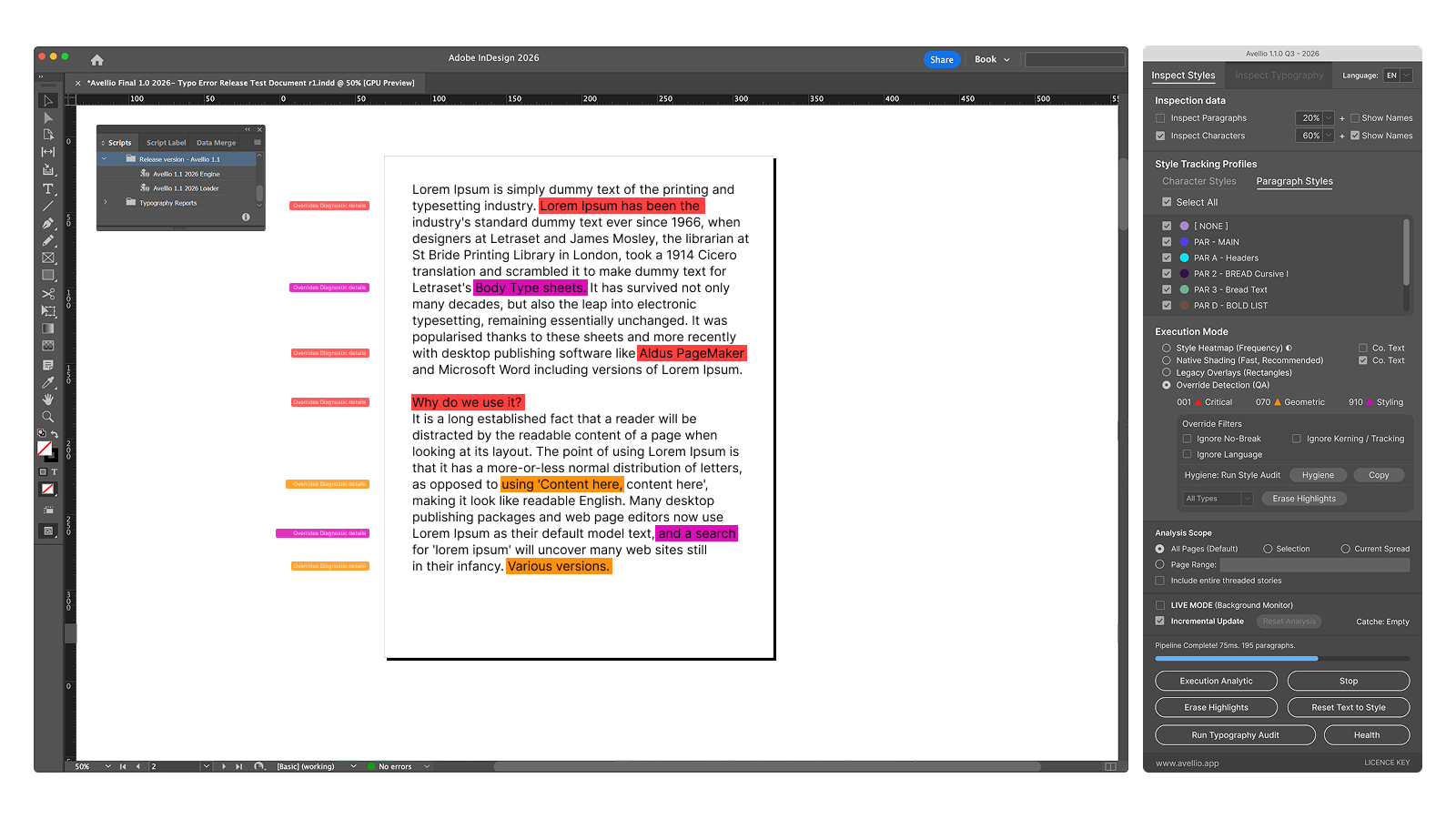
Choose Override Detection (QA) when you want to compare local formatting with named styles.
Start with Normal sensitivity. Avellio summarizes:
- Critical differences such as font, style, size, or leading;
- Geometric differences such as tracking, kerning, scale, or baseline shift;
- Styling differences such as color, underline, No Break, or language.
Use Ignore No Break, Ignore Kerning / Tracking, or Ignore Language only when those properties are intentionally variable.
3.5 Run the authoritative Style Audit
Click Style Integrity Audit when you need a report rather than only a visual overlay.
After the audit:
- Hygiene opens the Style Hygiene dashboard;
- Copy opens a selectable Style Audit Summary that you can copy manually;
- the dashboard provides Style, Hygiene, Overrides, Duplicates, and Assets views.
Success looks like: you can identify the dominant styles, explain any rare styles you inspected, and distinguish diagnostics from actual document formatting.
Release sourceThis page was generated from the Markdown companion of the verified distribution PDF.