

6. Fix issues safely
Install Avellio, run a first audit, review findings, fix safely, and verify the result.
FIX CAUTION Document impact: confirmed actions can change text or exact local formatting. Work from a fresh audit and a saved backup.
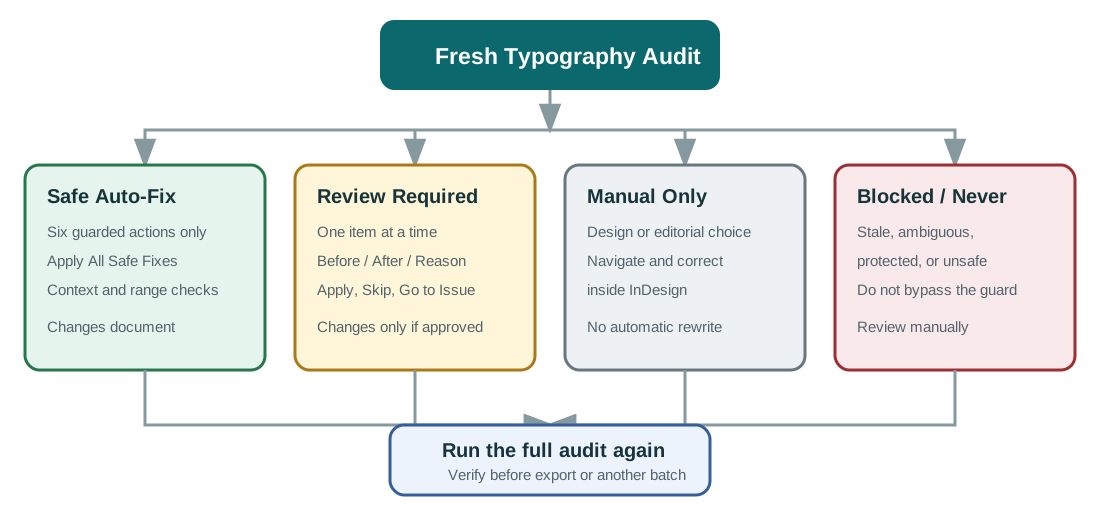
Click Fixes only after the complete Typography Audit. Avellio separates the Fix Plan into:
- Safe Auto-Fix
- Review Required
- Manual Only
- Blocked / Never Fix
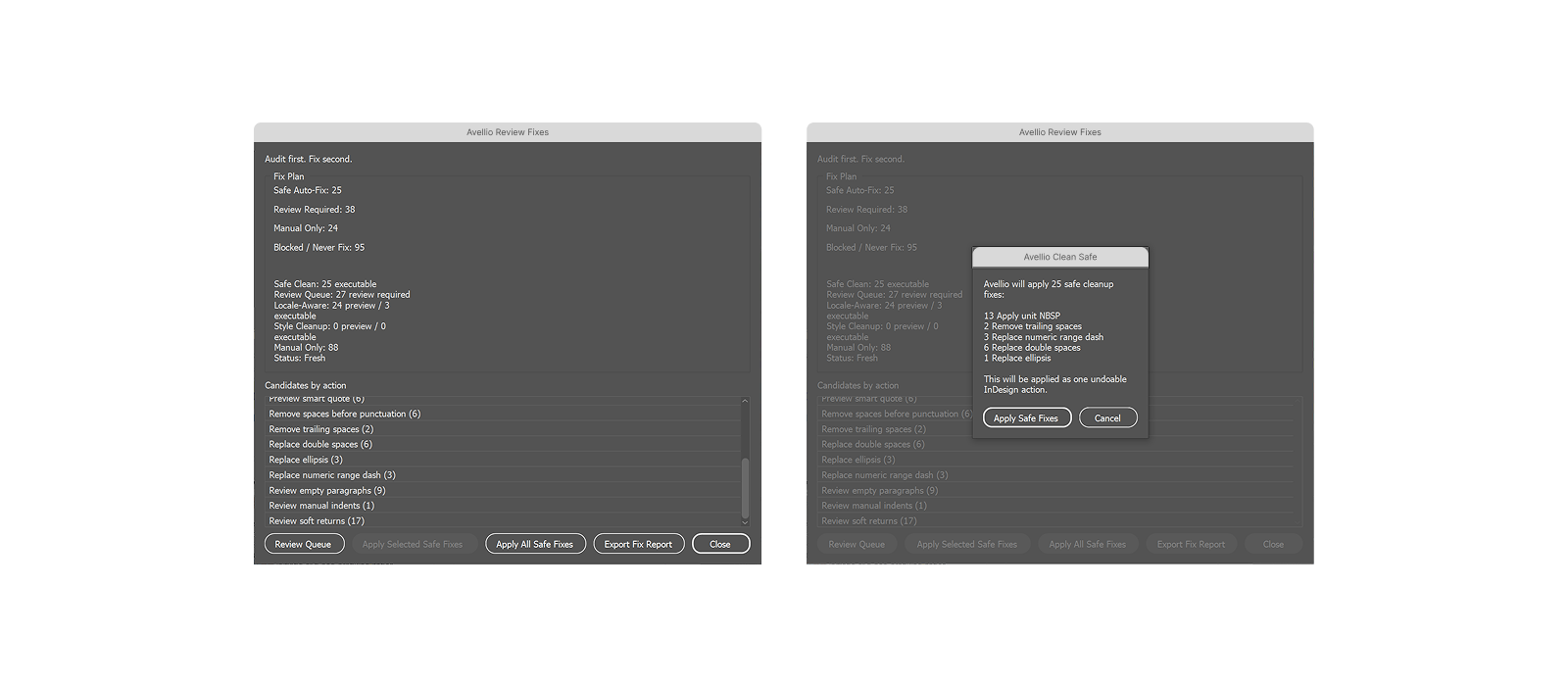
6.1 What Apply All Safe Fixes can do
The guarded Safe Clean batch is limited to six actions:
- remove ordinary trailing spaces;
- replace clear double spaces;
- remove clear spaces before punctuation;
- replace an exact three-dot ellipsis with the ellipsis character;
- replace a clear numeric range hyphen with an en dash;
- apply a non-breaking space to a clear number-unit pair.
| Finding | Before | Possible guarded result |
|---|---|---|
| Double spaces | The report |
The report |
| Ellipsis | Wait... |
Wait… |
| Numeric range | 2024-2026 |
2024–2026 |
| Number and unit | 12 kg |
12 kg using a non-breaking space |
| Space before punctuation | word , |
word, when the locale/context guard permits it |
| Trailing whitespace | Space or tab at the end | Removed when it is ordinary whitespace |
Each candidate must pass context and range guards. URLs, paths, identifiers, protected spaces, negative numbers, French punctuation contexts, and ambiguous text are not blindly rewritten.
Review the confirmation, then use Apply All Safe Fixes only when the listed action set is appropriate for the document.
6.2 What Safe Clean does not do
Safe Clean does not batch-fix:
- empty paragraphs;
- soft returns;
- manual indents or repeated tabs;
- column, frame, or page breaks;
- prose double hyphens;
- arbitrary straight quotation marks;
- dates, numeric conventions, currencies, or abbreviations;
- broad style drift or hierarchy decisions.
6.3 Use Review Queue for contextual fixes
Open Review Queue to inspect candidates one at a time. It shows Before/After information, page, style, locale, safety, reason, and the proposed action.
Use:
- Apply for the current exact candidate;
- Skip to leave it unchanged;
- Go to Issue to inspect it in the document;
- Previous/Next to move through the queue.
The queue can include Czech or Polish short-preposition spaces, missing spaces after punctuation, exact apostrophe/quote cases, soft returns, empty paragraphs, manual indents, repeated tabs, and exact style-property resets.
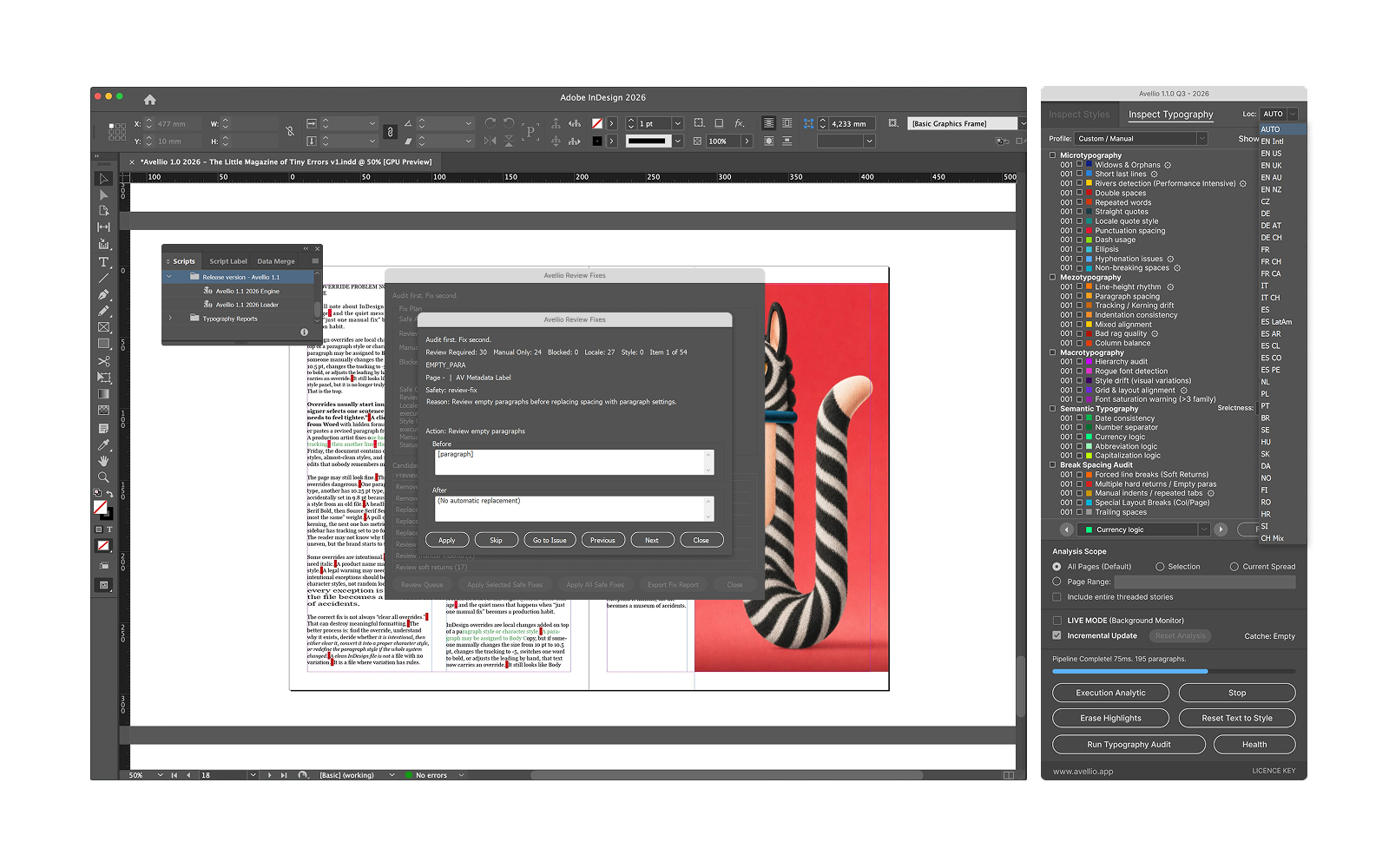
Apply Selected Safe Fixes is visible but disabled in this release. Use Apply All Safe Fixes or the item-by-item Review Queue.
6.4 If the plan becomes stale
After text changes, Avellio can mark the Fix Plan stale because stored positions may no longer match the document. Stop applying fixes and run a new Typography Audit.
Success looks like: every applied change was confirmed, visually inspected, and followed by a new full audit before another batch or final export.
Release sourceThis page was generated from the Markdown companion of the verified distribution PDF.