

4. Activation and license status
The full operational, safety, workflow, reporting, locale, and issue reference.
4.1 Activating a license
When activation is required, enter the license key in the Avellio license interface and allow the initial online validation to complete. Store the key securely outside the InDesign document.
4.2 License Status
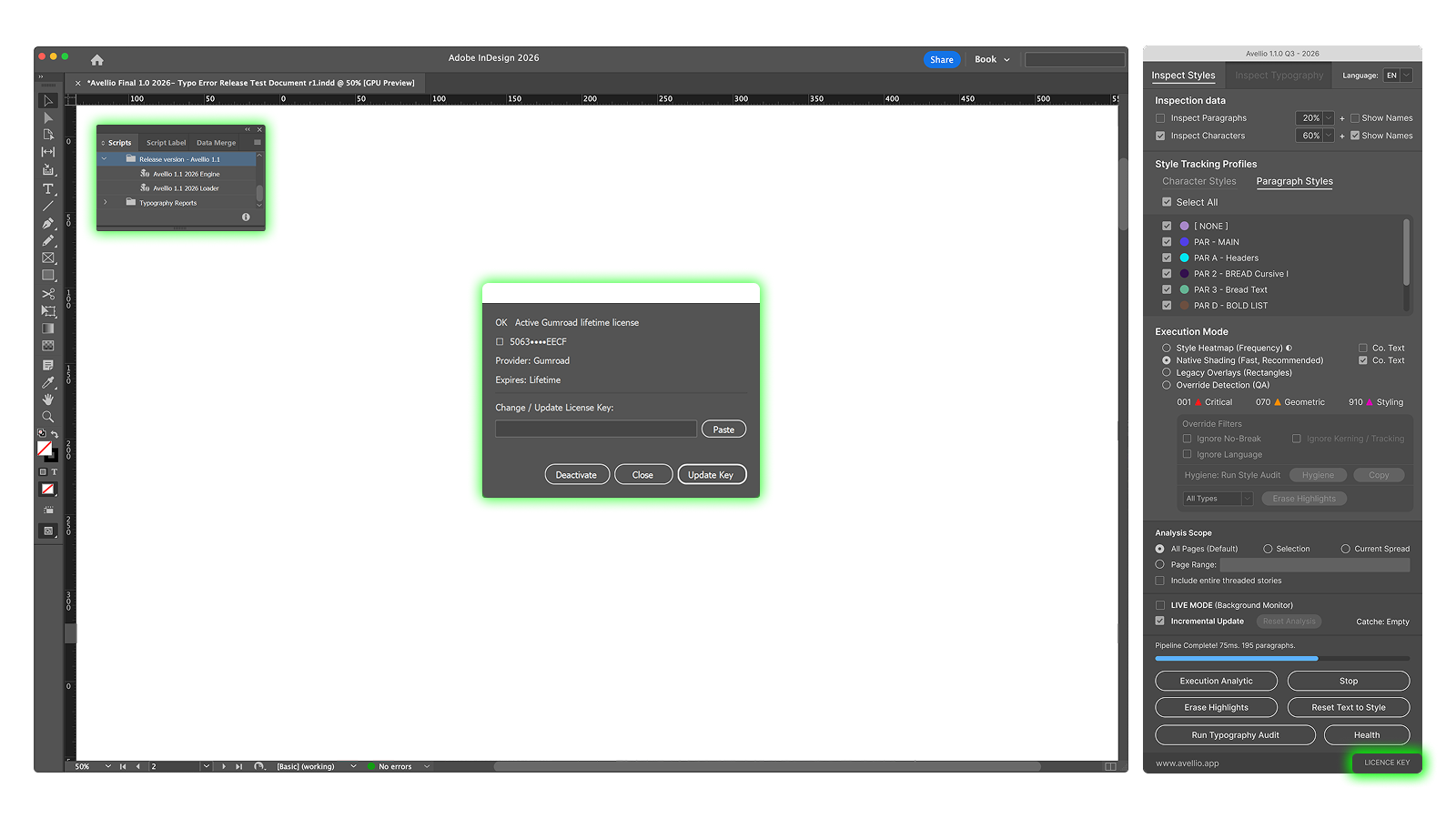
The license interface can display:
- a masked form of the active key;
- the validation provider;
- the expiry date, or Lifetime where applicable;
- controls to update or deactivate the license.
The exact commercial entitlement, seat count, subscription conditions, and transfer policy are defined by the purchase terms, not by this manual.
4.3 Offline operation
Avellio uses cached local validation to reduce unnecessary network checks. The production release includes a seven-day fast local validation period and an offline grace period of up to 30 days after a successful validation. A changed system state, expired entitlement, missing license metadata, or elapsed grace period can require a new online check.
If validation fails while connectivity is available, confirm the system date, firewall policy, proxy policy, and license status before deactivating or replacing the installation.
Release sourceThis page was generated from the Markdown companion of the verified distribution PDF.