

Practical workflow
InDesign Preflight vs GREP vs Avellio
Use the right layer of QA: technical output checks, deterministic searches, typography evidence, and human judgment.
The problem
Teams often expect one feature to solve every quality problem. InDesign Preflight, GREP Find/Change, and a typography-focused QA layer address different questions; treating them as substitutes creates blind spots and unrealistic automation expectations.
Without Avellio
- Use Preflight alone and assume a technically clean package is also typographically ready.
- Build a collection of GREP searches for recurring patterns, each valuable but narrow and easy to forget or misapply.
- Depend on a final visual proof with no consistent evidence trail across stories, styles, and locale-specific conditions.
With Avellio
- Keep InDesign Preflight for document and output conditions such as links, fonts, overset text, and other configured technical rules.
- Keep GREP for deliberate, deterministic find/change operations where the pattern and replacement are fully understood.
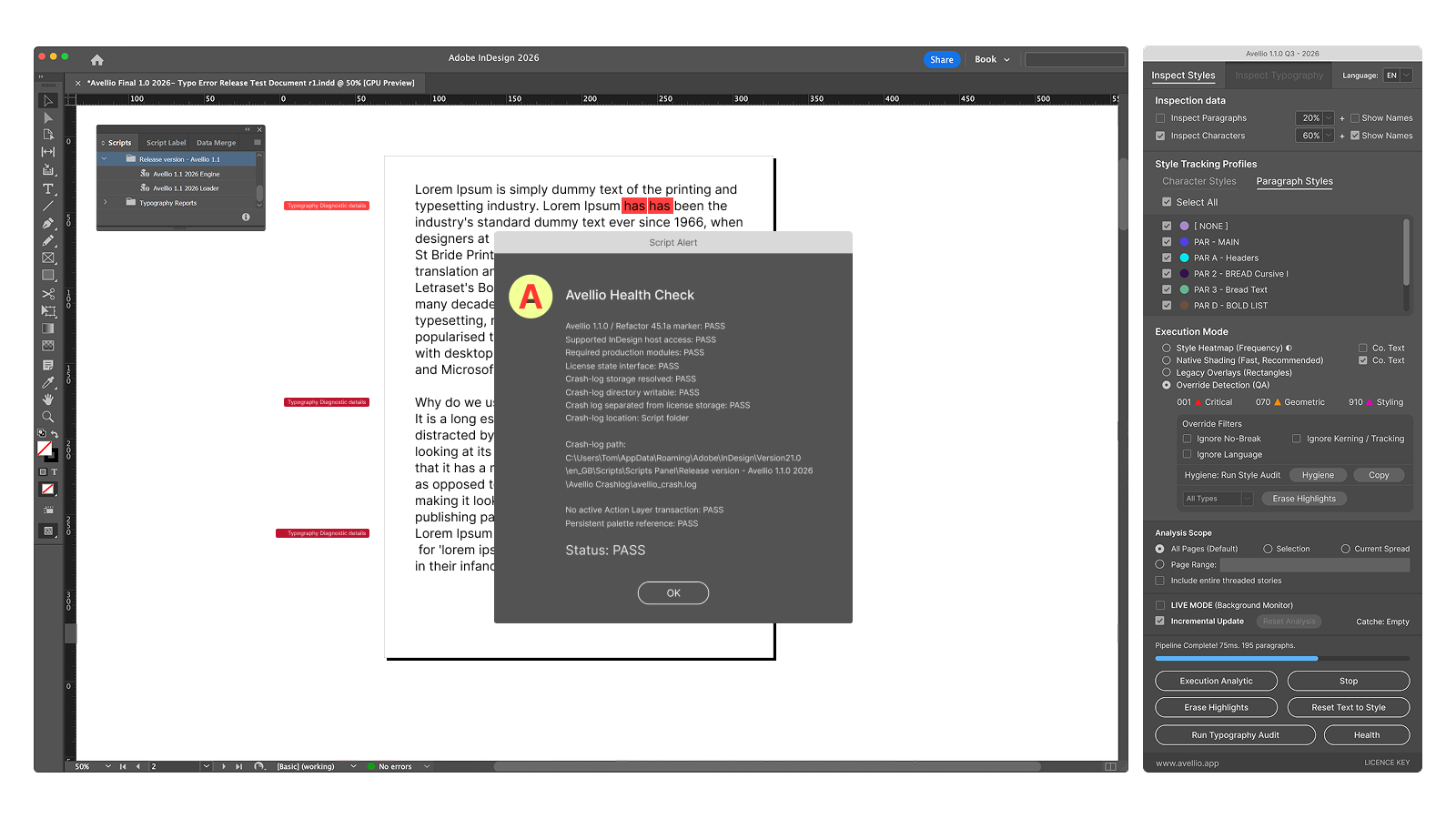
- Use Avellio for inspectable style and typography evidence, then use human review to decide meaning, design intent, and release readiness.
A reviewable workflow
- Run the configured InDesign Preflight profile for technical delivery risks.
- Use documented GREP routines only where the scope and replacement are safe and intentional.
- Run Avellio Inspect Styles and/or Inspect Typography for editorial and composition evidence.
- Review, correct, rerun the relevant audits, and approve the page with a human eye.
Limits and human review
Avellio is a typography- and style-focused preflight layer, not a replacement for InDesign Preflight, GREP, packaging, output validation, accessibility review, or professional editorial judgment. The strongest workflow uses the layers together.
Next step
Turn the review into a repeatable habit.
Explore the reference workflow, then bring Avellio into the production process your team already uses.