

Practical workflow
InDesign Typography QA
A practical, reviewable workflow for finding typographic risks in Adobe InDesign before delivery.
The problem
A document can look finished while small spacing, line-break, quote, and composition defects remain hidden across many stories. A visual pass alone is slow to repeat and difficult to hand off with evidence.
Without Avellio
- Open Preflight for technical output checks, then inspect stories and pages by eye.
- Use GREP searches for a few known patterns, record exceptions separately, and keep returning to the layout to judge context.
- Recheck the same areas after every correction, without a single, repeatable issue inventory.
With Avellio
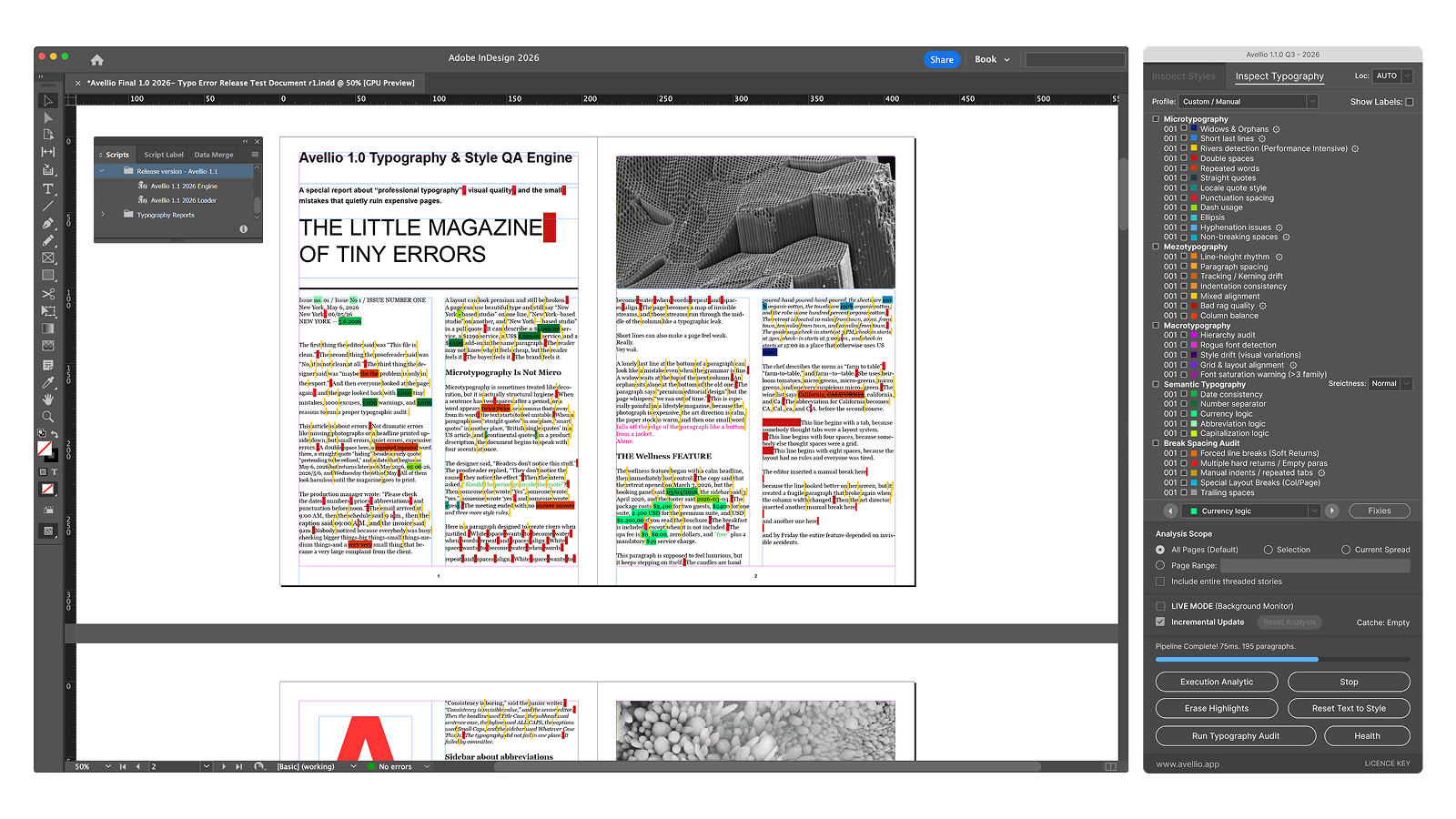
- Choose Inspect Typography, select the profile, locale behavior, and scope appropriate to the job.
- Run the audit to collect findings across the supported micro-, mezzo-, macro-, semantic-, and break-and-spacing checks.
- Use the results as evidence: inspect the marked text in context, decide whether it is genuinely wrong, then fix and rerun the audit.
A reviewable workflow
- Save a working copy and start with the smallest sensible scope when calibrating a new document.
- In Inspect Typography, choose a profile and keep AUTO or set one explicit locale convention where appropriate.
- Run the audit, open a finding in context, and treat its label and color as a navigation aid rather than a verdict.
- Correct the text, style, or composition deliberately; use the Action Layer only where the documented action is appropriate.
- Rerun the authoritative audit and export or retain the report for the handoff.
Limits and human review
Avellio reports evidence, not editorial intent. A finding can be intentional, particularly in display typography, tables, captions, poetry, or tightly art-directed pages. InDesign Preflight still owns technical output checks; a human still approves the finished page.
Next step
Turn the review into a repeatable habit.
Explore the reference workflow, then bring Avellio into the production process your team already uses.