

Practical workflow
Locale-aware Typography for InDesign
Use language and regional convention as part of a typography audit—not as an afterthought.
The problem
Quotes, apostrophes, numeric and punctuation spacing, currencies, abbreviations, and date conventions can look correct in one locale yet be wrong in another. A mixed-language publication needs review rules that respect the paragraph language and the intended regional convention.
Without Avellio
- Rely on visual proofreading and personal memory of regional conventions.
- Run generic GREP searches that may overmatch valid text or miss language-specific context.
- Apply one convention across a multilingual document, then clean up exceptions late in production.
With Avellio
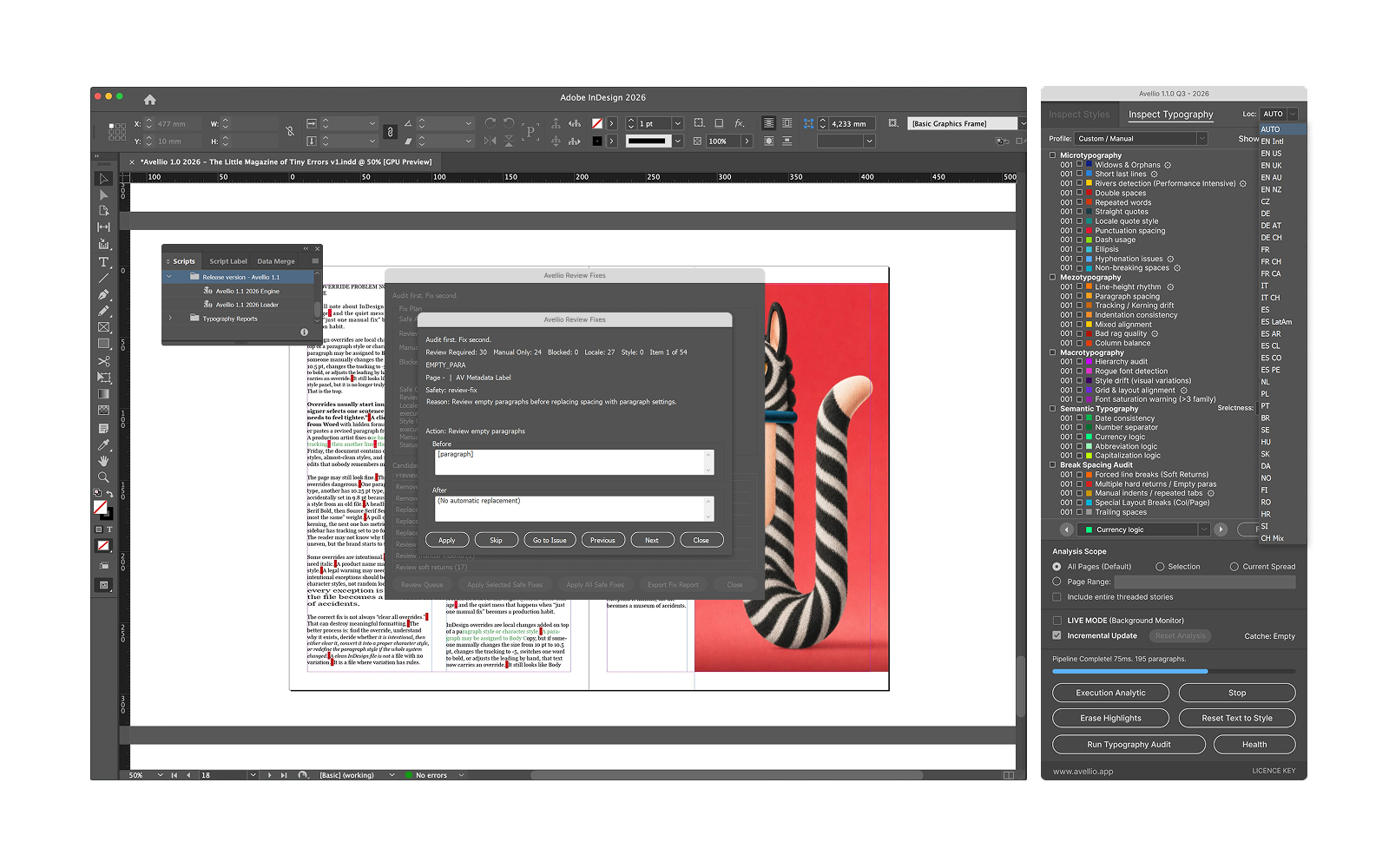
- Use AUTO when the InDesign paragraph language and document context are trustworthy, or select an explicit locale profile for a consistently regional job.
- Run Inspect Typography so the locale-aware checks evaluate eligible text through the selected convention.
- Review every result in context, especially mixed-language stories, quotations, source material, product names, and intentionally foreign text.
A reviewable workflow
- Confirm that paragraph language assignment in InDesign reflects the document’s actual languages.
- Choose AUTO or one explicit Avellio locale profile for the editorial scope being checked.
- Audit, navigate to a finding, and verify both the language and the editorial house style before editing.
- Use a separate pass or explicit profile where a section intentionally follows a different convention.
Limits and human review
Avellio documents AUTO plus 34 explicit locale profiles, but no automated rule can infer every editorial choice. House style, quoted material, brand language, bilingual content, and historical copy can require an intentional exception and human review.
Next step
Turn the review into a repeatable habit.
Explore the reference workflow, then bring Avellio into the production process your team already uses.