

Practical workflow
Widow, Orphan & Short Last Line Audit
Review composition risks in InDesign without reducing a page-level editorial decision to a counter.
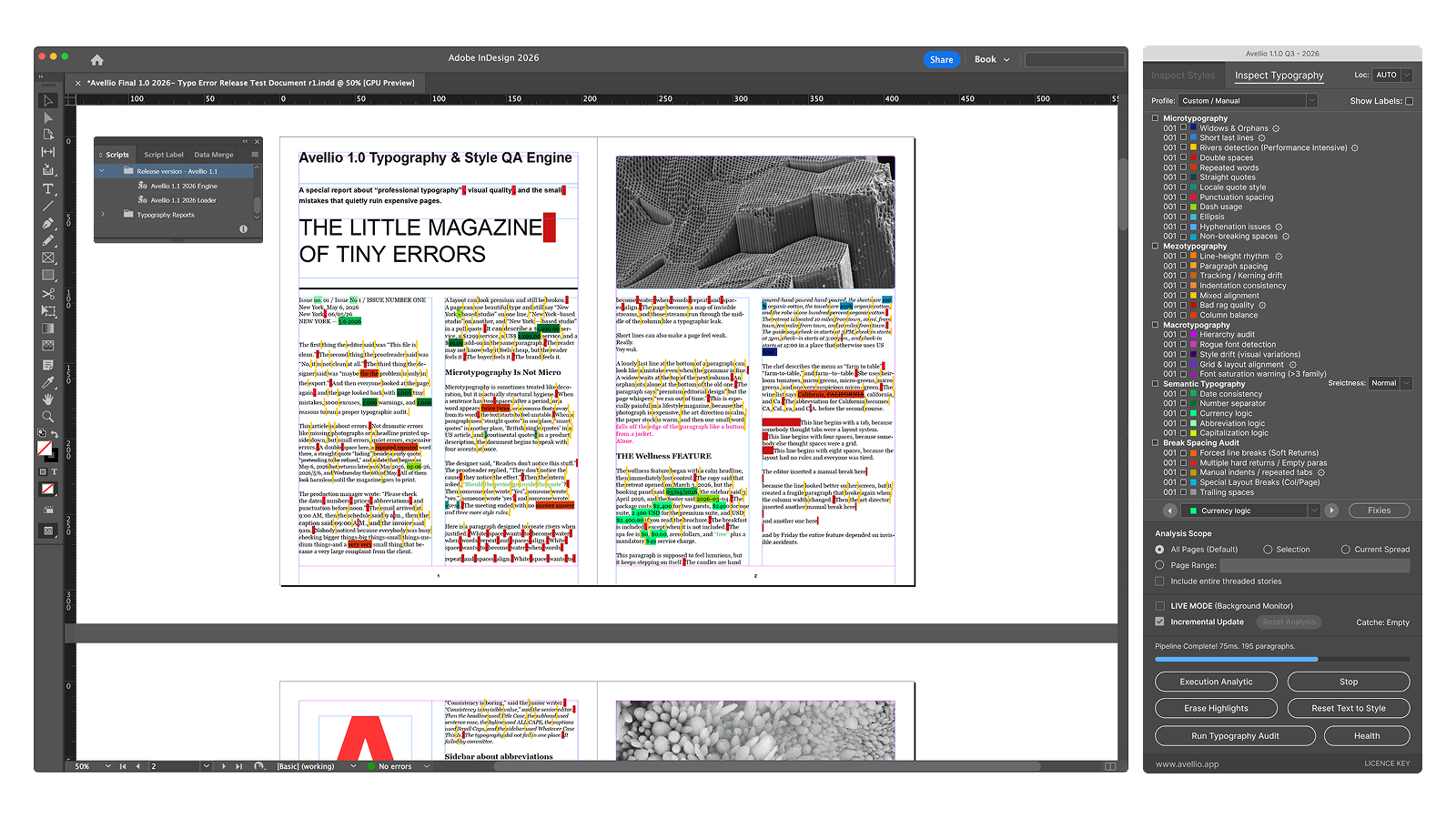
The problem
Widows, orphans, and short last lines often emerge late, after copyfitting and final edits. They affect rhythm and perceived quality, yet the correct remedy may be copy, style, paragraph settings, column geometry, or an intentional exception.
Without Avellio
- Turn on hidden characters and scan page by page, often only after a PDF proof exposes the problem.
- Use Keep Options and manual line-break interventions, then revisit every affected page when copy changes again.
- Track exceptions in comments or memory, making the final consistency pass fragile.
With Avellio
- Run Inspect Typography to surface potential widow, orphan, and short-final-line evidence within the selected scope.
- Navigate to each finding, judge the page as a composition, and choose the least destructive remedy.
- Rerun the audit after copyfitting so the final decision is documented by current evidence rather than an old proof.
A reviewable workflow
- Set the relevant typography profile and configure limits that fit the publication rather than using a universal rule.
- Audit the target story, spread, section, or document.
- Review each result at page scale before changing text, Keep Options, style settings, tracking, or geometry.
- Avoid using manual breaks as a first response; make a durable correction, then audit again.
Limits and human review
These are composition findings, not automatic defects. A narrow measure, a chapter opener, a table, a poem, or an intentional break may justify an exception. Avellio should not be used to force a technically clean count at the expense of the page.
Next step
Turn the review into a repeatable habit.
Explore the reference workflow, then bring Avellio into the production process your team already uses.